Stay in Control of Your Account
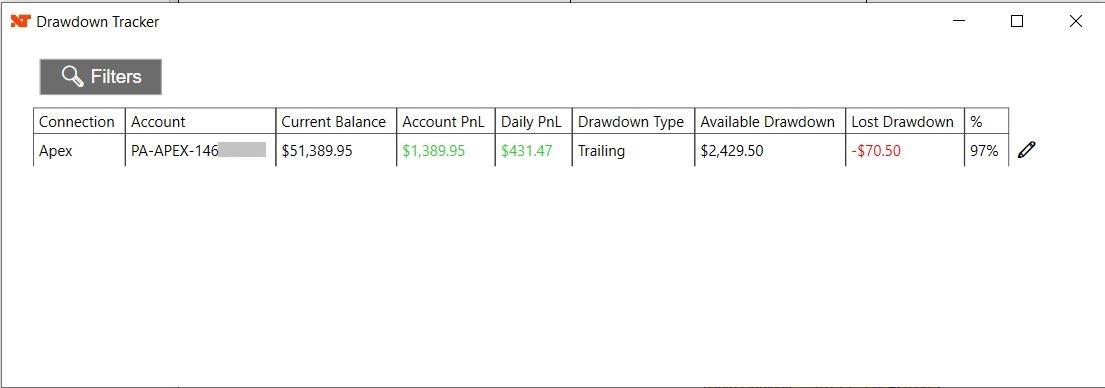
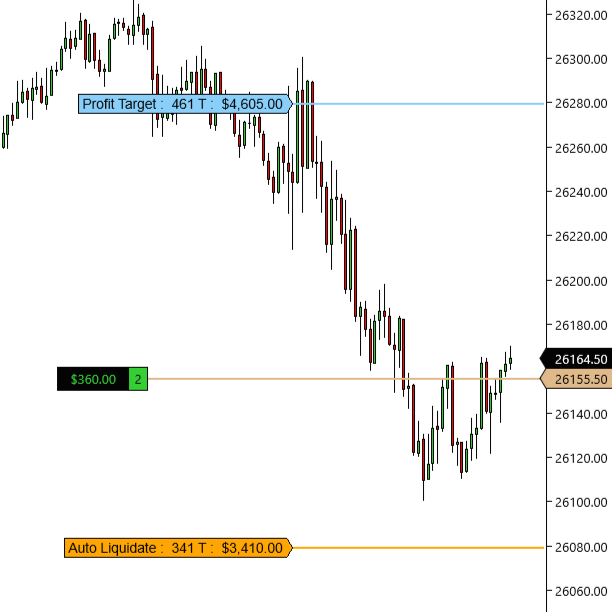
Most prop firms enforce strict drawdown rules — violating them can mean losing your account, even when you’re profitable. Drawdown Tracker removes the uncertainty by displaying your real-time drawdown thresholds, Profit Target levels, and optional Auto Flatten protection directly on your NinjaTrader charts, so you can focus on execution and protect your account.
Key Features
- Real-Time Drawdown Tracking: Always know your exact Trailing, End-of-Day, or Static drawdown level.
- Profit Target Tracking: Display your exact Profit Target level on the chart so you know precisely when your objective is reached.
- Auto Flatten on Profit Target (Optional): Automatically flatten all open positions when your Profit Target is hit.
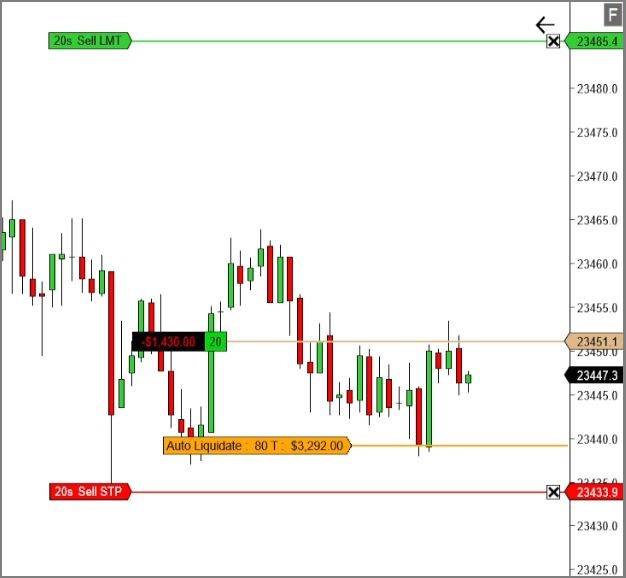
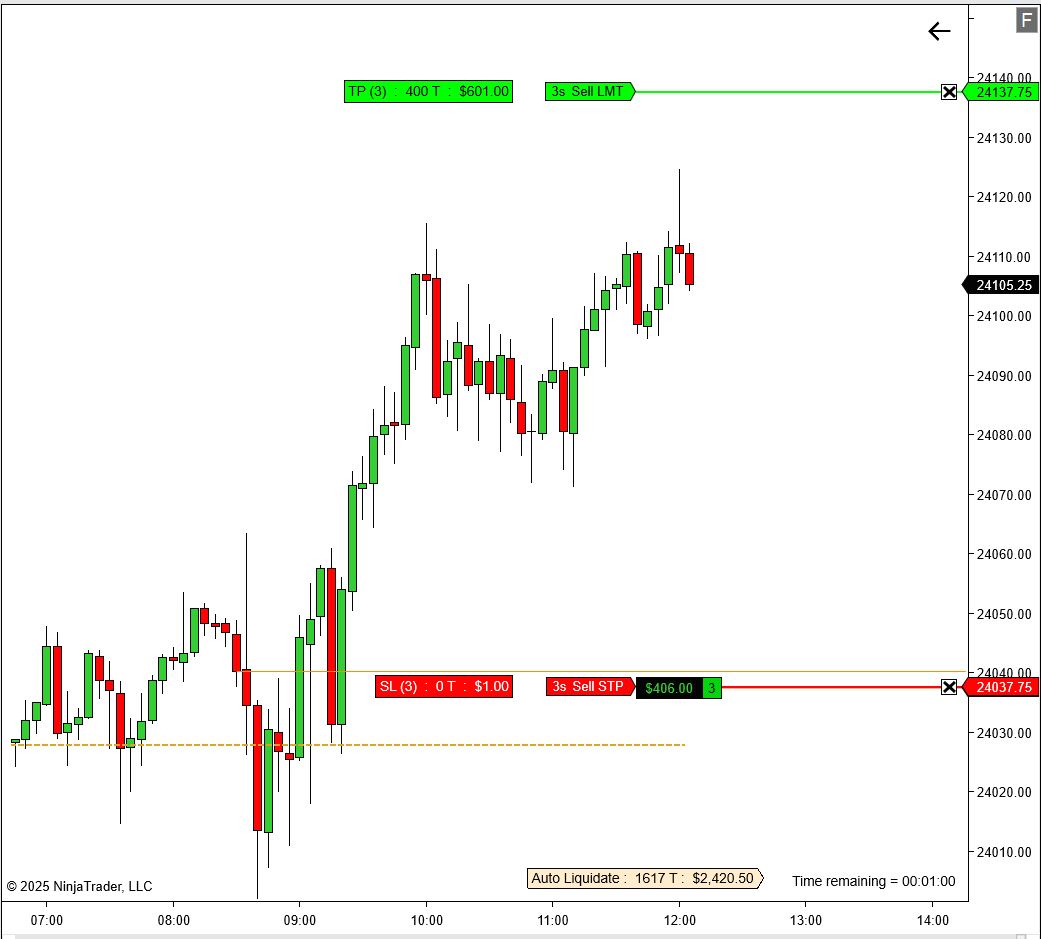
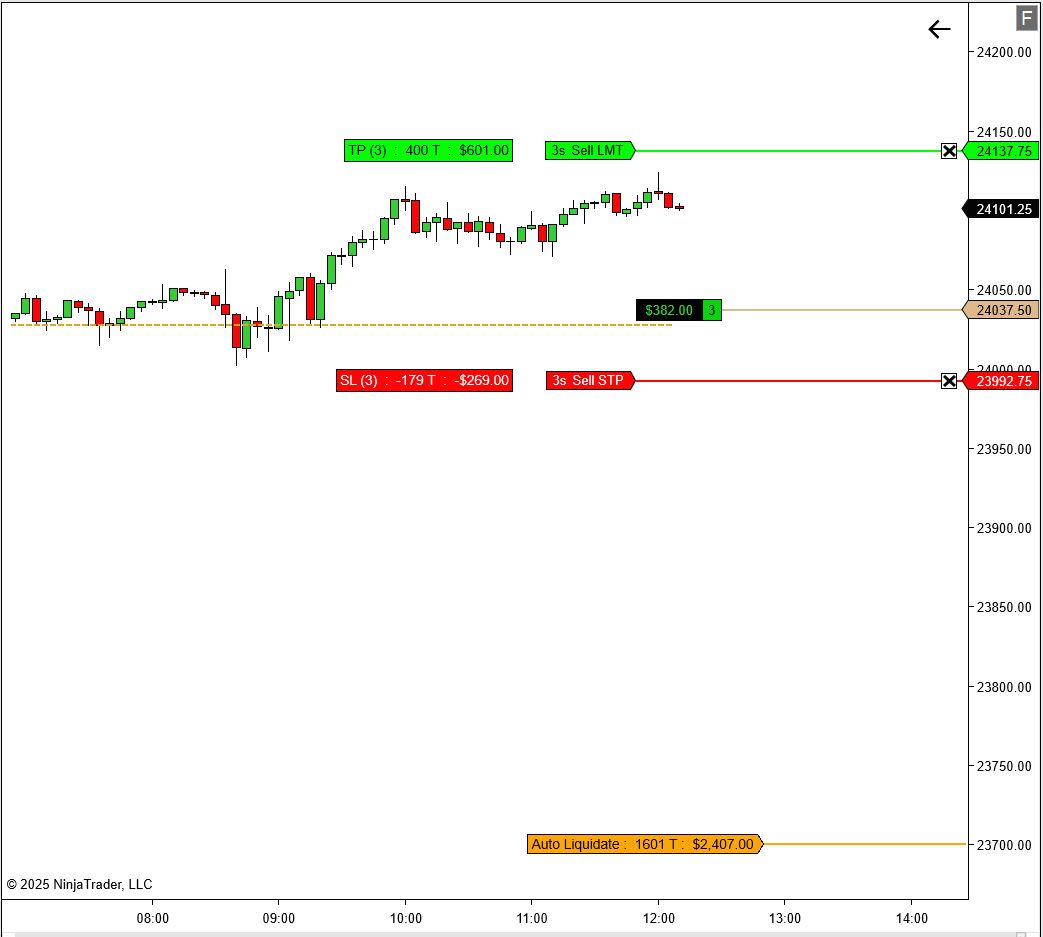
- On-Chart Visuals: See liquidation and Profit Target levels directly on your charts for instant awareness.
- Simple One-Time Setup: Enter the required info once — the add-on runs automatically every time you open NinjaTrader.
- Persistent Data: Your settings and account history are saved and restored automatically.
- Multiple Accounts: Manage several accounts from one centralized dashboard.
- Easy Licensing: Activate with your email or Machine ID.
Simple One-Time Setup
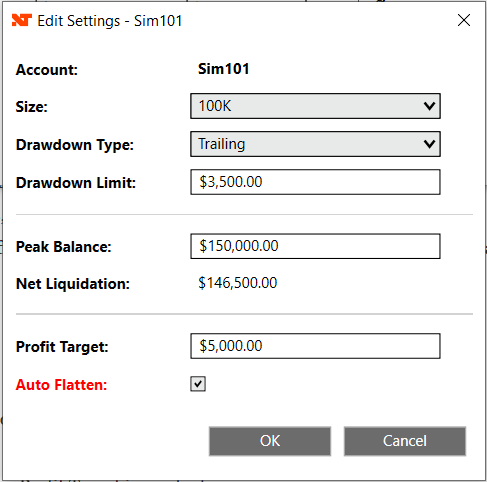
Provide these inputs once. After setup, Drawdown Tracker will run automatically every time you launch NinjaTrader:
- Account Size: Set the nominal account size used by your firm.
- Drawdown Method: Choose Trailing, End-of-Day, or Static based on your firm’s rules.
- Drawdown Amount: Enter the maximum allowed drawdown for your account.
- Peak Balance: Set the peak balance used to compute liquidation thresholds.
- Profit Target: Enter your firm’s Profit Target to track your exact objective.
- Auto Flatten (Optional): Enable Auto Flatten to automatically close all positions when the Profit Target is reached.
How to Use
- Install the Add-On: Import the
.zipinto NinjaTrader like any standard add-on or indicator. - Open the Window: Control Center → New → Drawdown Tracker.
- One-Time Setup: Configure drawdown parameters, Profit Target, and optionally enable Auto Flatten.
- Trade with Confidence: Your liquidation and Profit Target levels are plotted on the chart, and positions can be automatically flattened when your goal is achieved.
FAQ
Does Drawdown Tracker work with my prop firm?
Yes. It supports firms using Trailing, End-of-Day, or Static drawdowns — such as Apex, Topstep, Leeloo, and others.
What is Auto Flatten and why is it useful?
Auto Flatten automatically closes all open positions once your Profit Target is reached.
For evaluation accounts: it helps lock in your objective the moment it is achieved, reducing the risk of overtrading or giving profits back and accidentally violating rules.
For funded accounts: it enforces discipline by preventing emotional trades after hitting a daily or session goal, helping preserve capital and consistency.
For evaluation accounts: it helps lock in your objective the moment it is achieved, reducing the risk of overtrading or giving profits back and accidentally violating rules.
For funded accounts: it enforces discipline by preventing emotional trades after hitting a daily or session goal, helping preserve capital and consistency.
Can I track multiple accounts?
Absolutely. Manage and monitor multiple accounts from one centralized window.
Does this replace my firm’s risk system?
No. Drawdown Tracker provides a real-time visual reference to help you follow the rules your firm enforces.
Will my settings persist after restarting NinjaTrader?
Yes. Your thresholds, peak balance, Profit Target, Auto Flatten setting, and configuration are saved and restored automatically.
Do I need a separate license per computer?
One license covers a single user. You may install it on your own computers.